Find the format behind the numbers.
Float or integer? ABCD or CDAB? Compare data types and byte orders side by side, then match the result to the device reading.
Find devices and registers, make sense of raw values, and trace communication issues. Bring your TCP and RTU devices into one workspace, from the first connection to the final test.
BUILT FOR FIELD WORK
Float or integer? ABCD or CDAB? Compare data types and byte orders side by side, then match the result to the device reading.
Scan slave IDs and communication settings to locate devices. Explore register ranges, identify readable blocks and add them to your monitor.
Manage TCP and RTU connections together. Poll multiple devices and organize points by device, slave and register group.
Watch values change, edit individual points or write a batch of test parameters. Read them back to verify the result.
Save connections, devices and register groups as a project. Reopen your workspace without entering every address again.
Inspect requests and responses with MBAP, CRC and PDU details. Use CSV logs and event records to investigate when a problem occurred.
ONE CONNECTED WORKFLOW
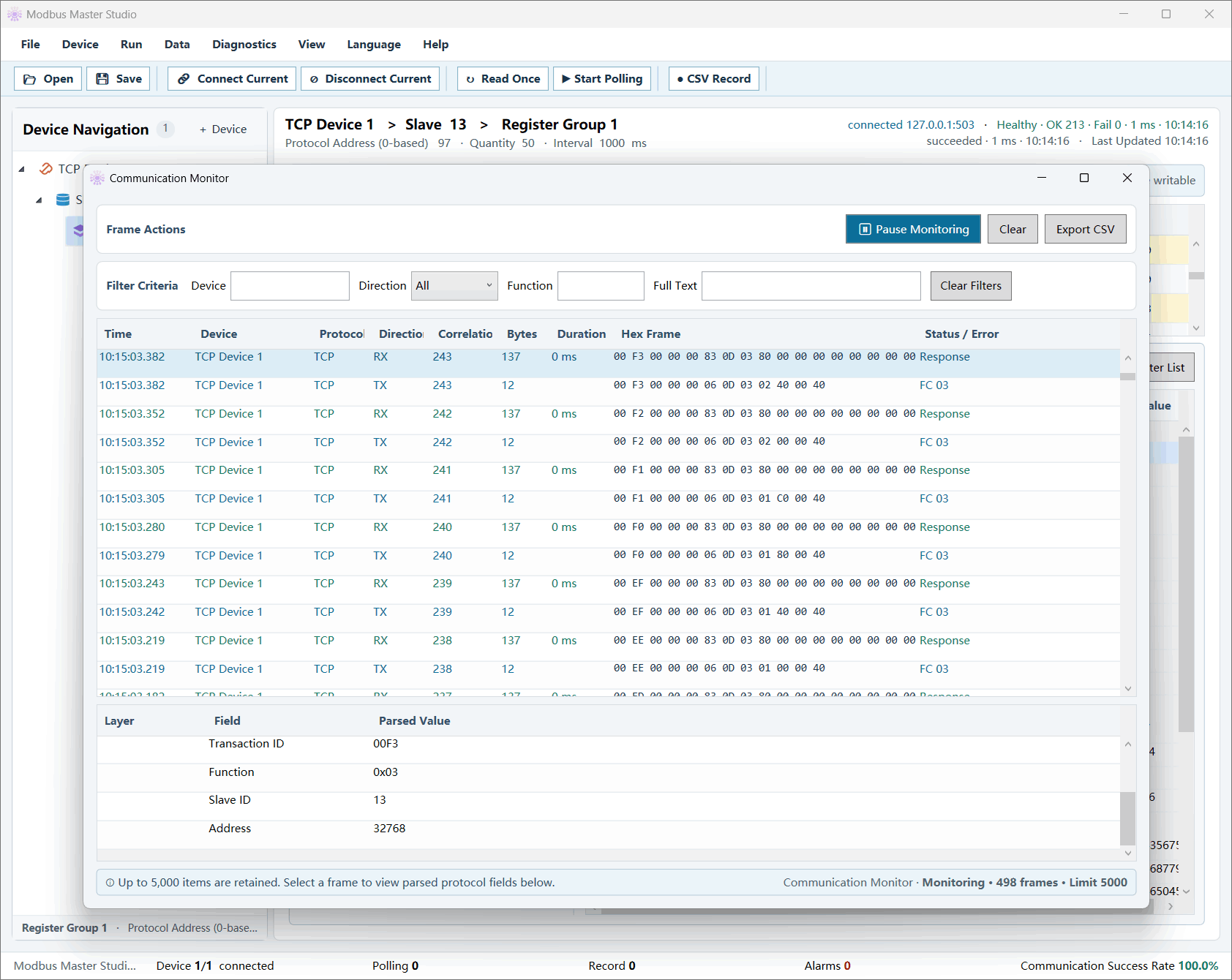
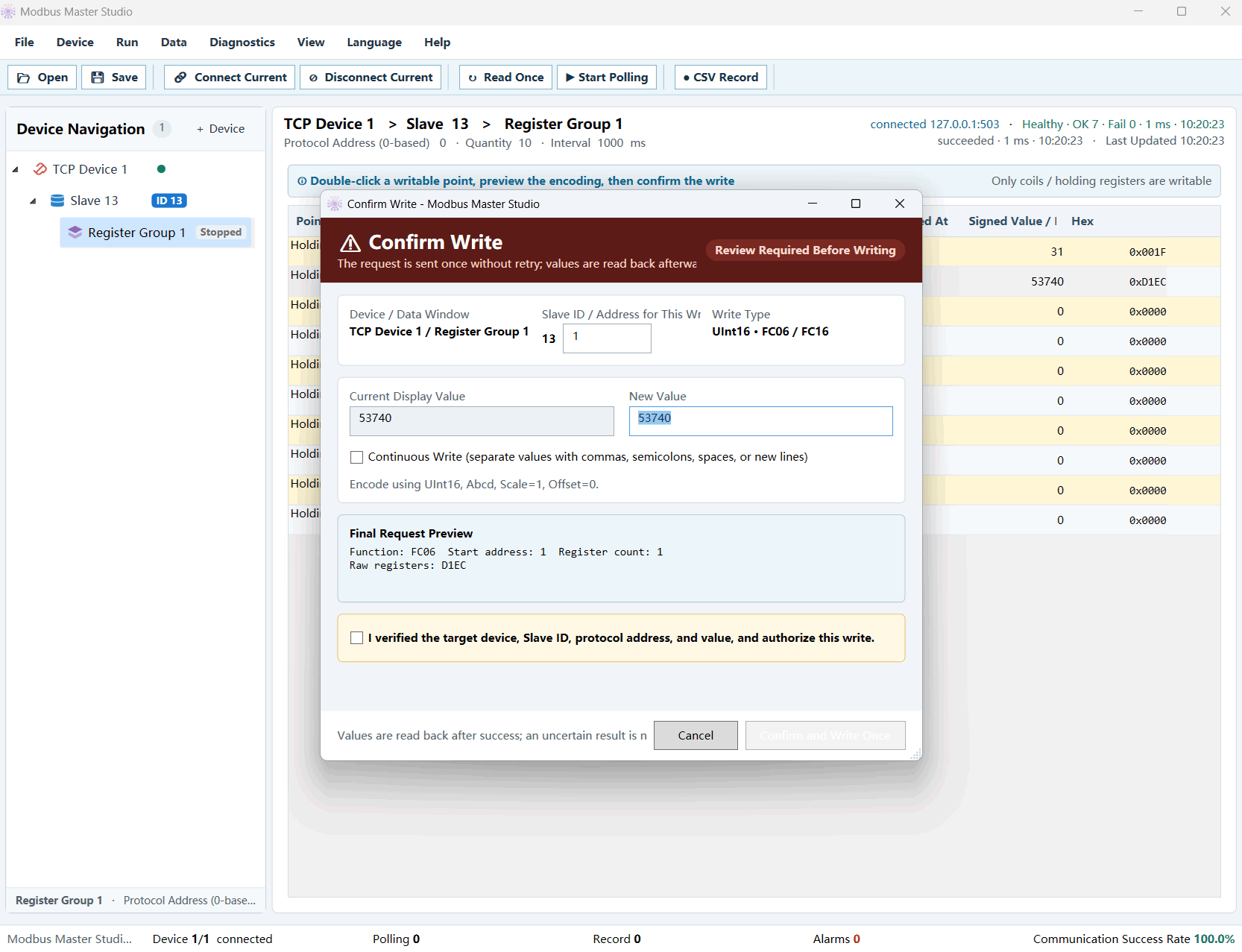
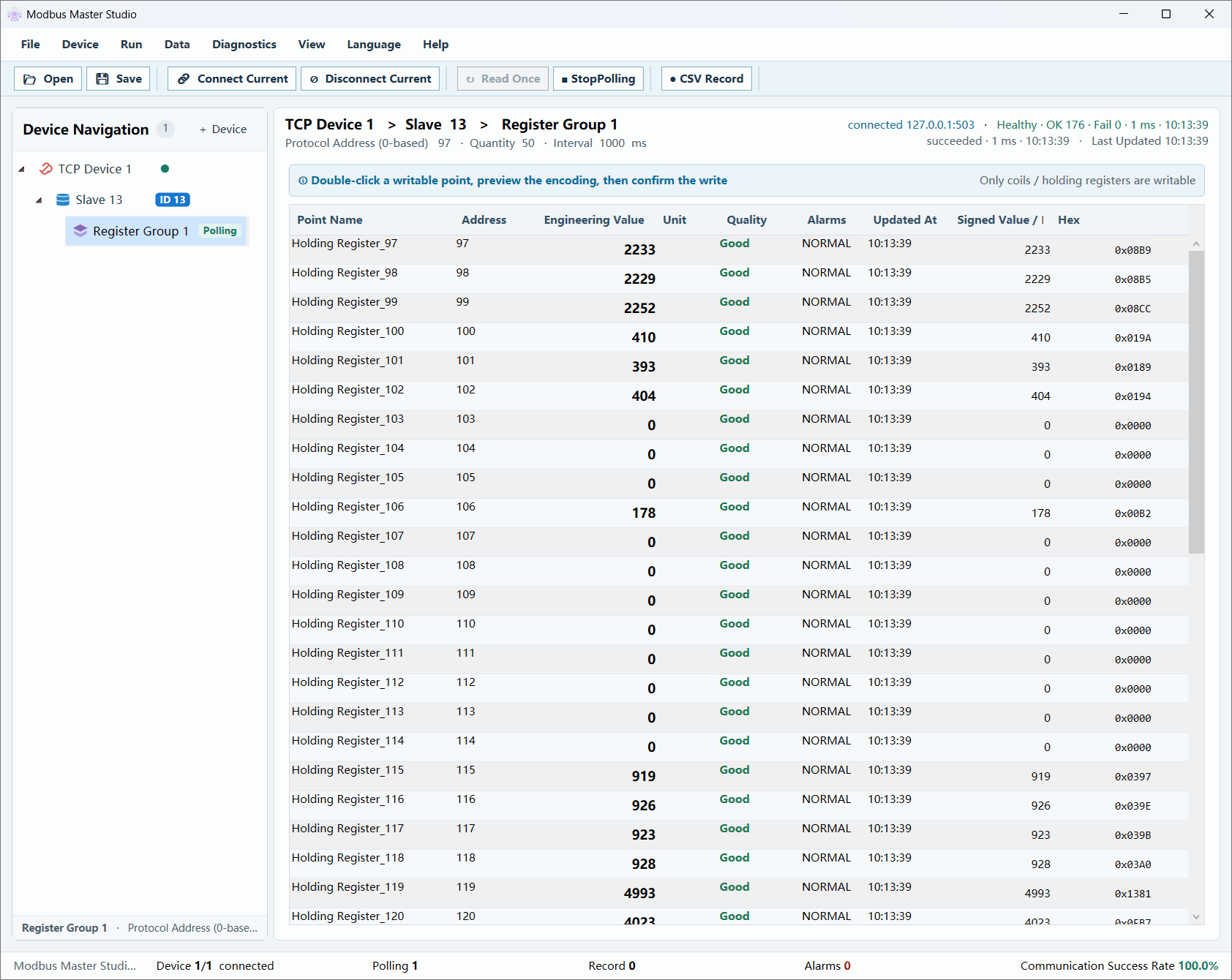
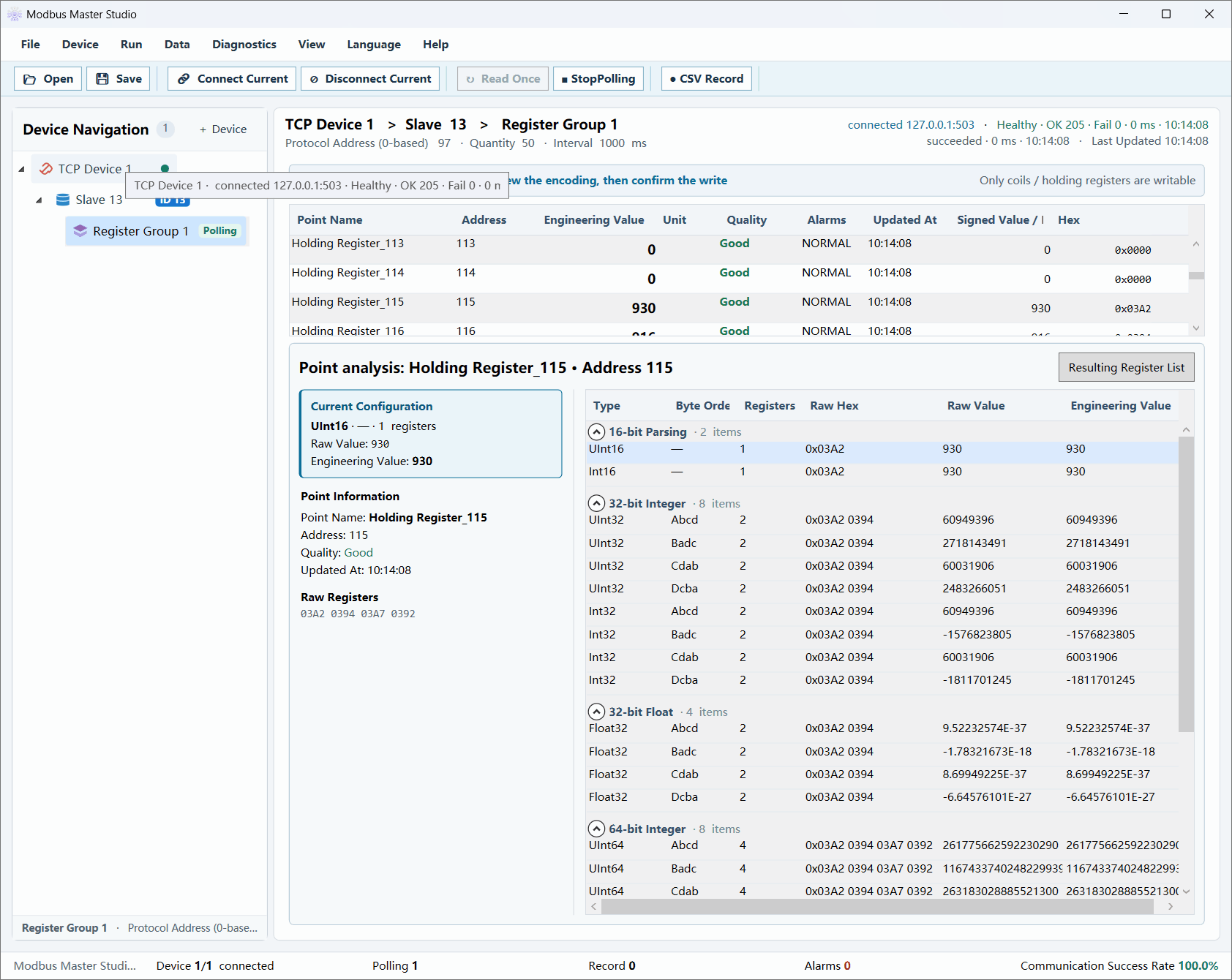
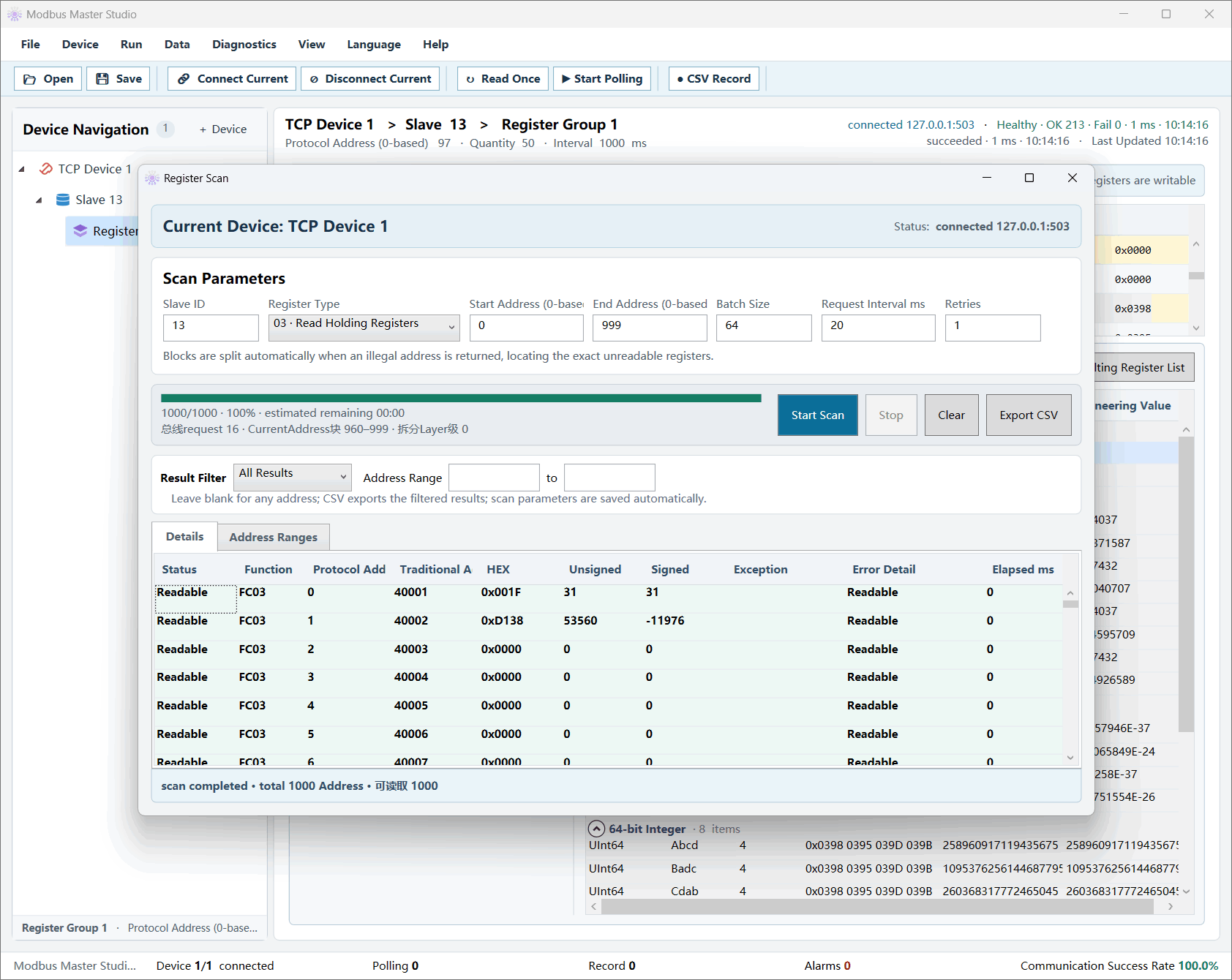
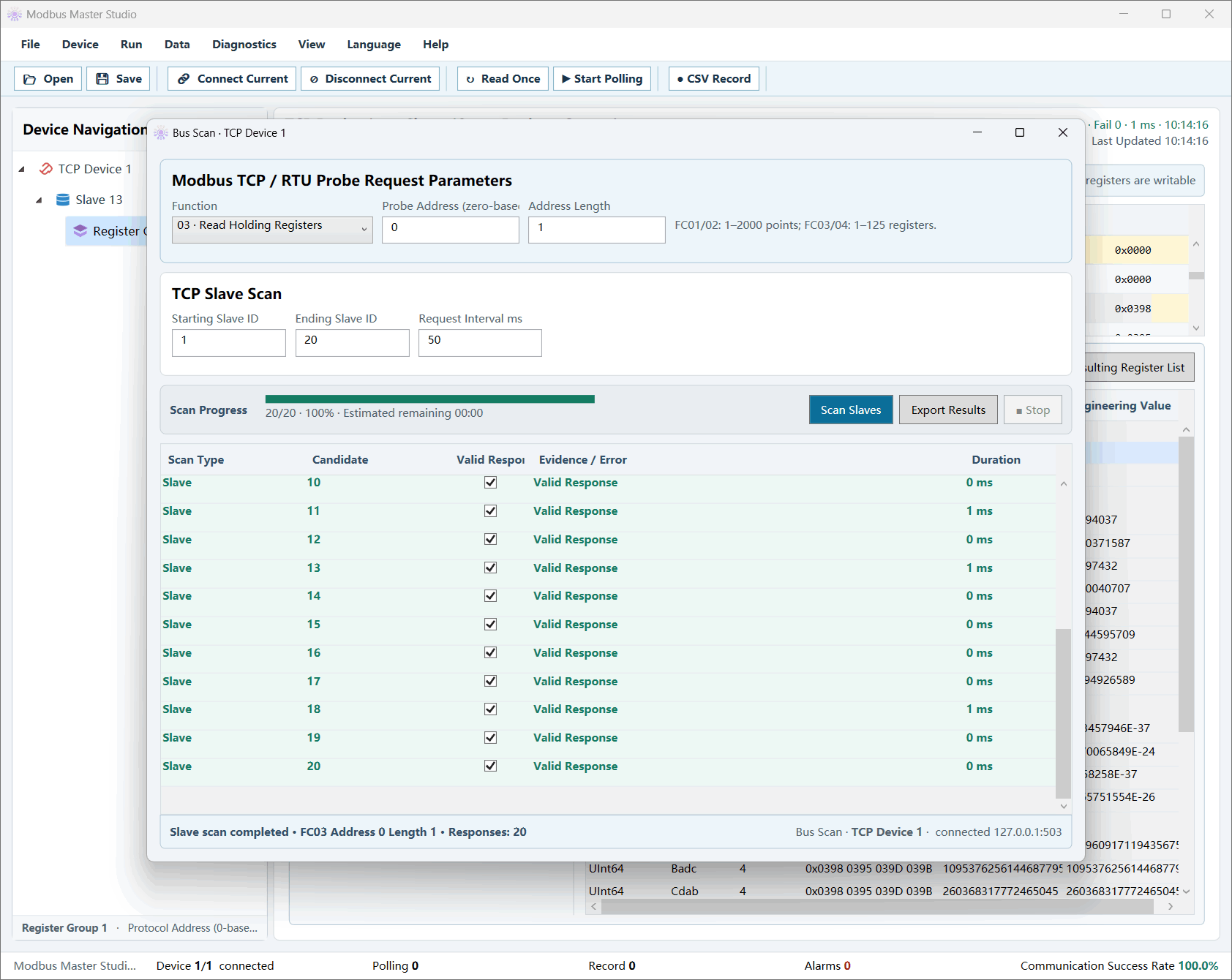
1 / 6 · Communication monitor
Full size ↗START WITH YOUR DEVICE
SIMPLE LICENSES
One payment for the selected license term. No automatic renewal. Prices below are in USD; any applicable tax and the final total are shown before payment.
Download and test the app first. Read the license terms and refund policy before purchasing.
For a short project or a round of commissioning.
For ongoing development and regular field work.
For your everyday engineering toolkit. Pay once.
For Paddle purchases, Paddle is the merchant of record and handles payment, tax collection and billing support. Refunds & cancellations →
PRODUCT AT A GLANCE
ModbusX is a desktop Modbus TCP and RTU workbench for Windows. The free online parser helps you inspect existing frames; the desktop app connects to your devices for live work.
ModbusX is a Windows desktop workbench for communicating with Modbus TCP and RTU devices. It includes device and register scanning, data-format comparison, live monitoring, write tests and saved project workspaces.
Version 1.2.0 is a portable, framework-dependent build for Windows 10 and Windows 11 x64. A compatible .NET Desktop Runtime is required. The screenshots show the desktop interface; the downloadable guide is in Chinese.
Yes. The online frame parser is free and processes pasted RTU, TCP and raw register data in your browser. It does not connect to devices or upload the frames you enter. Use the desktop app for live device connections.
Monthly licenses are USD 9.90, annual licenses USD 59, and lifetime licenses USD 129. Each is a one-time payment for the selected term, with no automatic renewal. Online purchases are not yet open.
Download the desktop app and test compatibility with your device before buying. You can also use the free online parser to inspect an existing frame without installing the desktop app.
Contact ms@utools-kit.com for product and activation support. For a Paddle order, you can also request billing or refund help through your receipt or paddle.net. Read the full refund policy for eligibility and statutory rights.
HERE TO HELP
Ask about compatibility, activation or an existing order.